How to Use the Aside Browser: Tasks, Vault and Computer Use
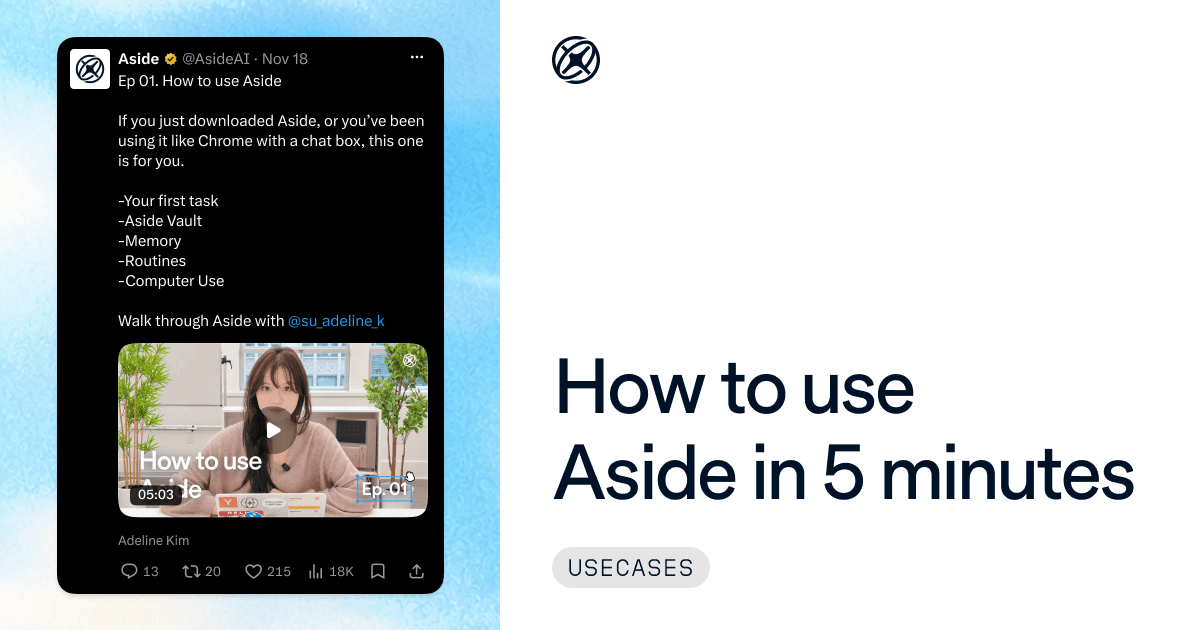
If you just downloaded Aside, or you've been using it like Chrome with a chat box, this guide is for you. Aside is a personal work assistant that started as a browser.
In Ep 01 of our video series, Adeline Kim (@su_adeline_k on X) from our team walks through the Aside browser and its AI agent in 5 minutes. Below is each part of the video, with the short answer and the prompt she typed.
Posts by Chanwoo Lim, Chris Baker and Jason Wang on X, November 18, 2026.
- 0:36 How do you give Aside its first task?
- 1:34 How does Aside Vault sign in without seeing your password?
- 2:27 How does Aside remember what you're working on?
- 2:59 How do you schedule tasks in Aside with routines?
- 3:31 How do you use Computer Use in Aside?
- 4:01 Rapid-fire features
- What questions do new Aside users ask?
How do you give Aside its first task?#
Open a new tab, switch the box from Search to Ask, and type what you want done in a plain sentence. Aside's AI agent does the task in your own browser, on the sites you are already signed in to, with no integration to set up for each app. End the prompt with where it should stop.
Adeline starts by using Aside as an AI shopping assistant.
Find a shelf under $80 on Amazon that can be delivered to our office by tomorrow. And add the best one to my cart. Don't check it out.
To have Aside ask you before it pays, posts or sends anything, turn on Final confirm in the task box. It starts off. Already on a page? Press Cmd/Ctrl+E to open the side panel, and that page comes with the task.
Watch this part at 0:36.
How does Aside Vault sign in without seeing your password?#
Aside Vault is the password manager built into Aside, included on the Free plan. Import your logins under Settings > Passwords > Import, from 1Password, Apple Passwords, Bitwarden and others. When a task reaches a sign-in page, the Vault fills the form and the agent never receives the password. Approvals only you can give come back to you.
Download my last month's invoice from this site.
To limit when agents may use saved logins, open Settings > Passwords > Access policy for AI agents. More on how this works in how to unblock your agents.
Watch this part at 1:34.
How does Aside remember what you're working on?#
Aside saves memories from your chats and tasks, so you can refer to earlier work without pasting a link or a name. Turn on Enable Context Awareness under Settings > Memory and it also keeps summaries of what you browse. Memories are Markdown files on your computer, and you can read and edit them under Settings > Memory.
Find a venue I was looking at yesterday and draft an email asking about availability.
Memory is on by default. Context Awareness is off until you turn it on, and it only covers browsing from then on. Aside introduced Context Awareness as "your browser is now your second brain".
Watch this part at 2:27.
How do you schedule tasks in Aside with routines?#
Create a routine: a set of instructions plus a schedule. Each time the schedule comes up, Aside starts a new task from those instructions. Make one under Settings > Routines, or ask Aside in a chat to set it up. Routines run while your computer is awake and Aside is running. The Free plan allows 3 active routines.
Every weekday at 9, check what people are saying about Aside on X and send me a summary.
For a longer example, see the routine that DMs a link to anyone who comments on an Instagram post.
Watch this part at 2:59.
How do you use Computer Use in Aside?#
Turn on Computer Use in Settings > Agents, then type @ in your prompt to pick the app. It lets a task read and control the apps on your computer, so one prompt can start in a browser tab and finish in a desktop app. It is off by default and available on every plan.
Take the numbers in this Google Sheet and build a chart slide in Keynote.
Aside's Computer Use ranked #1 in Cua Driver Bench.
Watch this part at 3:31. The rapid-fire features at 4:01 cover split tabs, text and lasso shortcuts, connecting your own ChatGPT or Claude subscription, permission modes and Ultrabrowse.
What questions do new Aside users ask?#
Does Computer Use work on Windows?#
Yes. A viewer asked this on X. Aside announced Computer Use for both Mac and Windows on November 6, 2026. On Windows, clicking and typing take over the mouse and keyboard until that step ends.
Is there an iPhone app?#
No. Aside runs on Mac and Windows computers. On Pro and Max, you can message Aside from your phone through Slack, Discord or Telegram while your computer is on and Aside is running.
Is Aside free?#
Yes. The Free plan includes 500 credits per month. Our guide with 8 AI browsers compared covers the plans in more detail.
Can I import my bookmarks and history from Chrome, Arc or Dia?#
Yes. When you first open Aside, it can import from browsers including Chrome, Safari, Arc and Dia, so you start with your bookmarks and history. Saved logins come in through the Vault import.
For setup steps beyond this guide, read Aside's getting-started guide, then download Aside and try the shelf prompt on something you need this week.