Aside Computer Use ranks #1 in Cua Driver Bench
Aside is a personal work assistant, that started as a browser. In June, we hit SOTA on major browser use benchmarks like Online-Mind2Web, Odysseys, and BU Bench V1. 5 days ago we launched computer use.
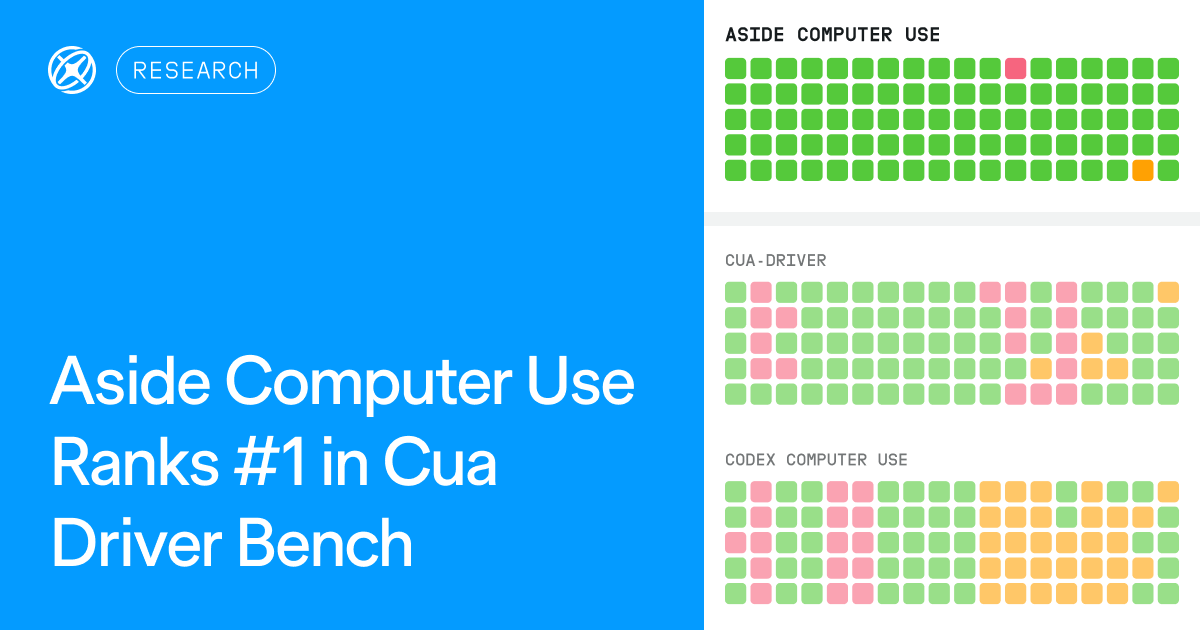
Aside Computer Use passed 88/90 trials on macOS in Cua Driver Bench on AgentEnv, run by Scale. With Claude Opus 5.5, it scored 97.8%, well ahead of Cua Driver (74.4%), Codex Computer Use (51.1%), and agent-desktop (47.8%).
Benchmark results#
Cua Driver Bench tests whether an AI agent can complete real-world office tasks across desktop apps without disturbing someone working on the same computer. Thanks to Edgar Arakelyan at Scale for proposing and running the evaluation.
Cua Driver Bench results by Scale
With Claude Opus 5.5, Aside Computer Use passed 88/90 foreground and background trials combined, while the same model through Cua Driver passed 67/90. That's a 23.3%p lead.
The cost per task is noteworthy. GPT-6 Luna with Aside Computer Use passed 28/40 background trials, compared to 23/40 for Claude Opus 5.5 with Cua Driver. The model cost per full pass was about 208x less, including failed attempts. With Claude Sonnet 5.5, Aside was also about 6x faster than Codex Computer Use by median trial time.
Scale ran the benchmark on AgentEnv through Claude Code and Codex CLI, testing each driver's tools rather than the products' own agents. Each setup ran 10 tasks 5 times in the foreground and 8 tasks five times in the background, for 90 trials in total. A pass required completing the task through the GUI; background trials also required leaving a simulated user undisturbed while they typed in another window.
You can see the full results and trial replays here.
Why we added computer use#
We started Aside to make a personal work assistant that understands your entire work context and gets work done like you would. Choosing a browser form factor was a perfect starting point because over 80% of work already lives there.
We gradually expanded beyond the browser with features like Context Awareness and our recent launch of Computer Use closed the remaining gap of having full context on your daily workflows.
What we focused on#
Working in the background#
Our team found it frustrating when an agent took over your mouse and keyboard. So, we put effort into analyzing macOS internals to open and control desktop apps in the background.Meaning, Aside can work side by side without bothering each other.
With Claude Sonnet 5.5, Aside passed 37 of 40 background trials without disturbing the user.
Keeping snapshots small and stable#
These days, Computer Use libraries like ours, use accessibility trees (AX trees). An AX tree gives an agent a structured view of an app's interface. But each element's reference can shift after an interaction or a view change. If the app is complex, the tree can consume a lot of tokens.
So we applied the snapshot-stabilization approach that we built for Asidewright which made AXTree snapshots more stable and token-efficient, speeding up agent runs.
REPL-first approach#
While it is possible to game SOTA benchmarks with instructions "In this case, click this..." or by adding lots of tools. We didn't choose this route.
Instead, we expose a computer API in our JavaScript REPL, allowing the agent to write code and recover errors without repeating failed actions or recreating the snapshots.
The people behind it#
Bren Huber handled most of the implementation himself. He dug into macOS internals to make background control work seamlessly and build stable snapshots. Naveen helped with optimizations along the way.
Try it#
Download Aside and enable Computer Use under Settings > Agents. You can also connect your existing subscription.
We've already released optimizations to make it faster while reducing token usage and will continue to do so in upcoming releases.